年度许可与模块套餐
从所需的模块开始。
 Ai Foto Pro
MG Work Studio & Medya Ajans
Ai Foto Pro · 产品指南
Different jobs call for different tools, from client selections to print and school albums. Ai Foto Pro brings five local modules and online Retouch PRO into one account. Start with the modules you use and expand your combination as your studio grows.
在护照和生物识别模式下,选择照片类型,检查面部位置并准备排版。当客户还要求提供数码照片时,您可以使用二维码交付。照片尺寸和取景在整个交付过程中保持一致。
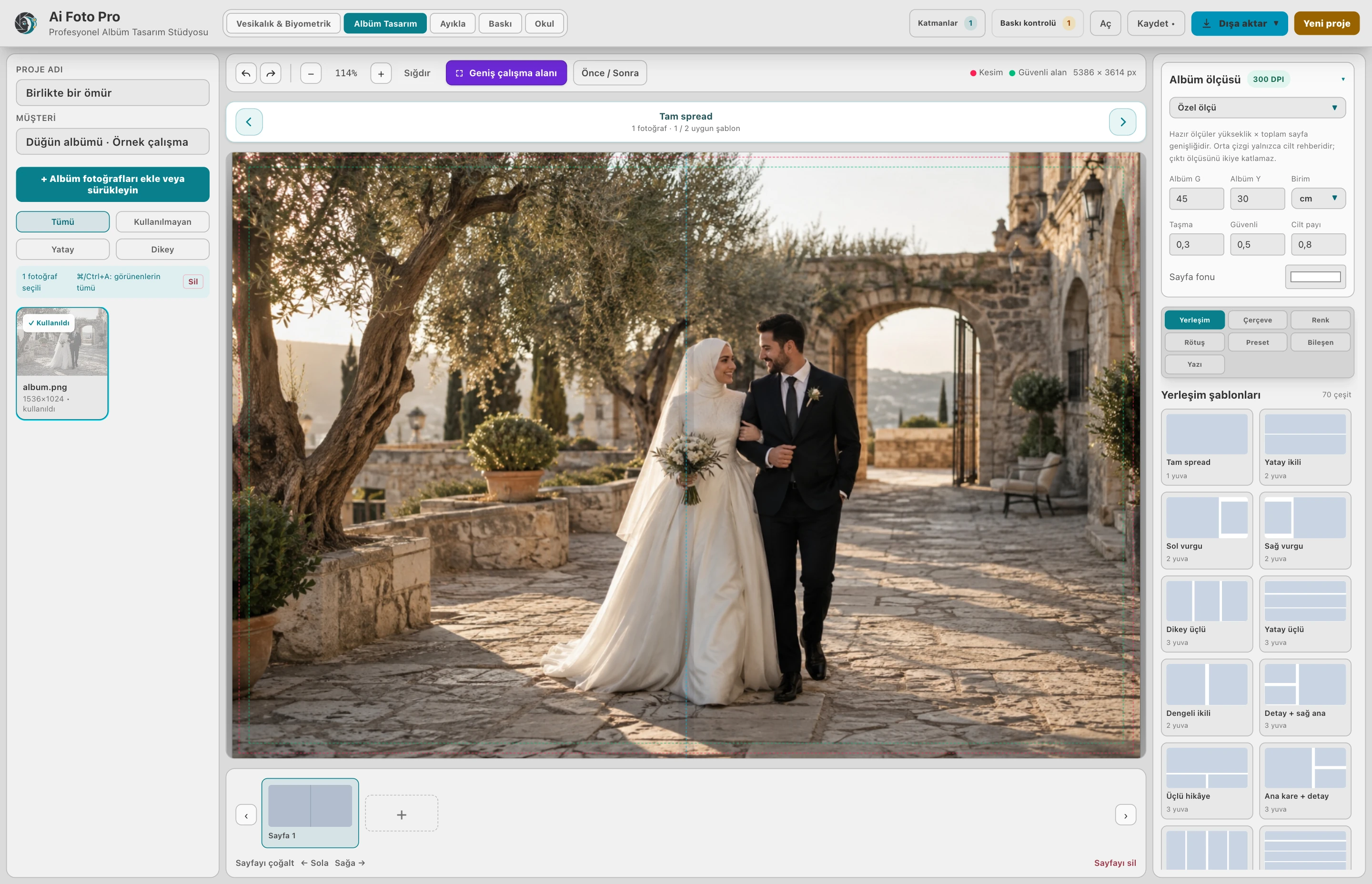
在提取模式下匹配客户的代码,并将选定的照片收集到单独的文件夹中。在相册设计模式下将此选择转换为页面。准备适合客户故事的设计,包括特殊尺寸、文本和照片位置。
在打印模式下管理纸张上照片的位置、颜色和数量。在学校模式下准备单张/批量混合或班级文件夹照片;必要时添加学生列表并创建学校相册。无需列表即可完成照片传送流程。
Choose a package with one to six modules. Retouch PRO can be licensed on its own and needs internet access and its own paid entitlement. Choose one, two or three computers to suit your workflow. A module added later keeps its own license dates.
不需要。您可以选择您需要的模式,可以是单一模式,也可以是组合模式。
不会。学校流程从拍摄后在工作室导入文件或文件夹开始。
根据您自己的素材和输出需求评估适合您工作室的工作流程。