
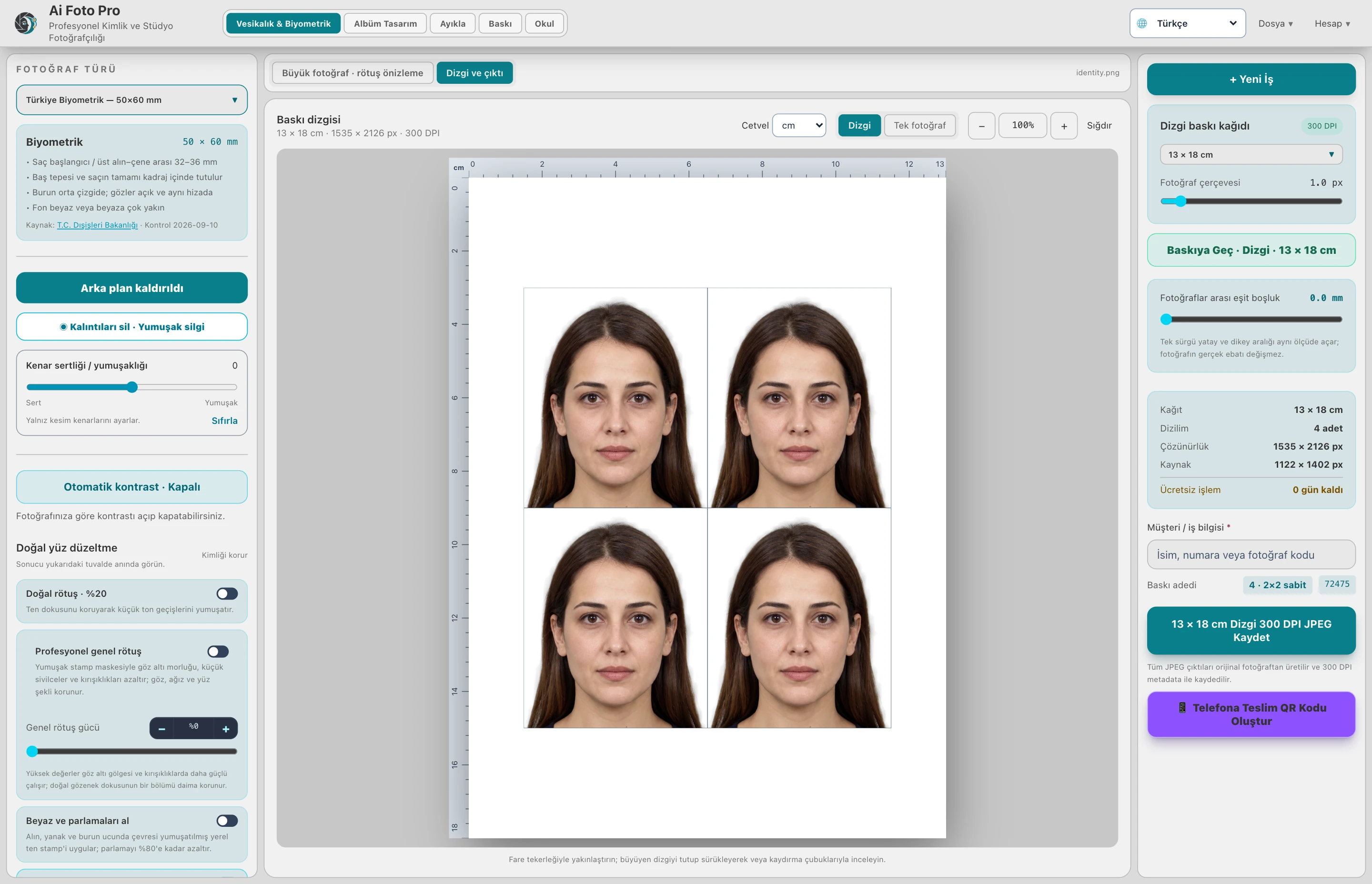
Reduce temporary blemishes and tired shadows without flattening pores, changing identity or making the face look artificial.
Read the light before the skin
A shadow under the eye may be caused by the lighting rather than the skin itself. View the full face and then zoom in before changing anything. Decide whether you are looking at a temporary blemish, a permanent feature or a contrast edge. A successful correction should respect the direction of light and the person’s natural expression. Removing every line or freckle can make a portrait less convincing and unsuitable for an official document.
Set intensity for the individual photo
The same retouch strength will not suit every face. A sharply lit portrait can reveal texture more strongly than a softly lit one. Start at a moderate level, inspect cheeks and forehead at a practical zoom, then increase only where the result remains believable. Pay particular attention to eyes, eyebrows, lips and hair: they should stay crisp while the surrounding skin remains detailed. Compare before and after at normal viewing size as well as close up.
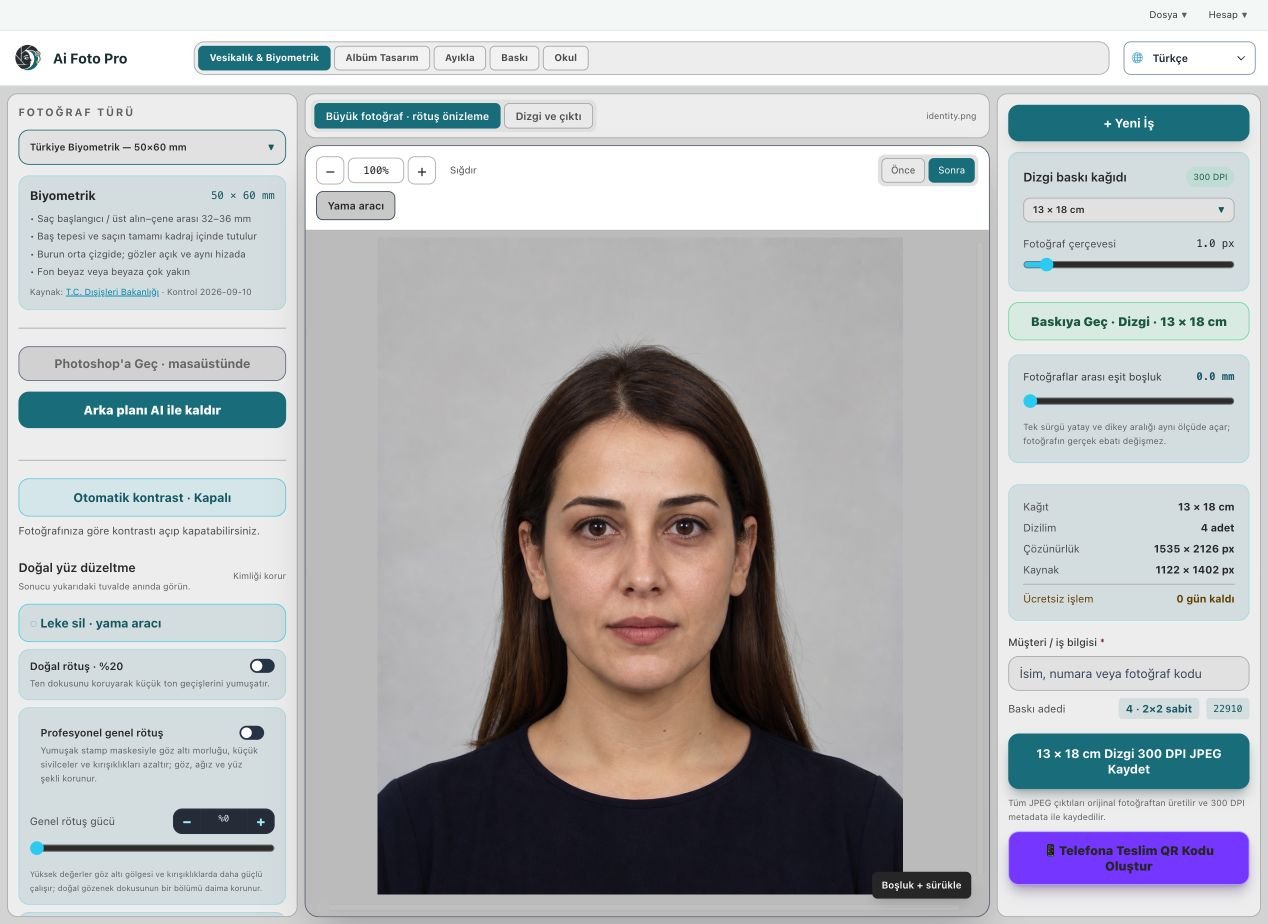
Use a local patch for a small mark
For one pimple or minor spot, a local patch is often more precise than increasing general smoothing. Place the circular patch over the mark, then move its source to a clean area with similar light and texture. A source from a bright forehead may look wrong on a shaded cheek. Keep the patch small enough to avoid borrowing an eyebrow, a hair strand or a strong facial contour. If the correction is visible, choose another source or reduce its size.
Treat document and album portraits differently
An album portrait can sometimes tolerate a slightly warmer, more polished finish. A biometric portrait must remain a faithful representation of the person and meet the receiving authority’s rules. In both cases, preserve natural texture and avoid reshaping the face. Review the final full-resolution export because a low-resolution preview can hide repeated texture, halos and rough transitions. The customer should still recognize themselves immediately.
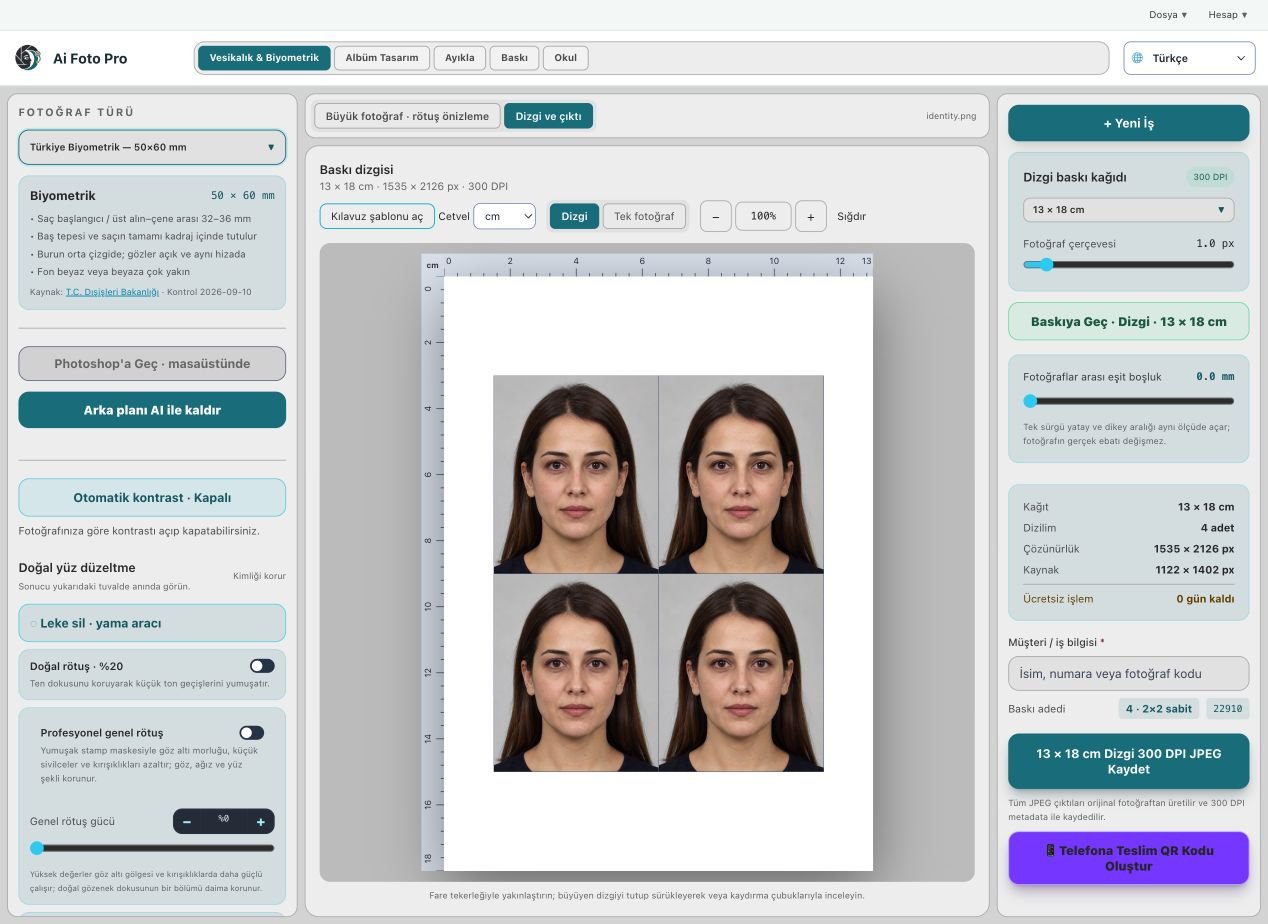
A practical studio check before delivery
Begin with the customer’s requested product and the original camera file. In this portrait retouching workflow, confirm the source orientation, the intended physical or digital size, and the treatment that was actually requested. Work on a copy so the first capture remains available. Make one controlled adjustment, then compare it with the previous state. A change that looks impressive at maximum zoom can still feel wrong in the complete portrait or page. If several photos belong to one job, inspect more than one image before applying the same settings throughout the set. Keep a consistent naming scheme so the approved export can be found later.
Preview and delivered file are different checks
The application preview helps you decide where to crop or edit, but it may use fewer pixels than the source file. After saving, open the exported JPEG or page separately and confirm its dimensions, crop and visual quality. Inspect faces and important borders at normal size, then zoom into problem areas. If a detail appears soft, repeated or oddly colored, return to the working image and refine it before sending anything to the customer. A clear export check also catches an incorrect folder, a missing file or a mismatched output preset. Do not rely only on a success message.
Explain the finished result to the customer
Customers rarely ask which algorithm or brush was used. They want to know whether the result fits their purpose, still resembles them, and can be opened or printed without surprises. Tell them which output is the final version and what each file is intended for. If the task involves an official document, the receiving authority makes the final acceptance decision; check current requirements before promising compliance. Keep the original capture and the approved output separate, so a later request for a different size or a small revision does not require repeating the entire job.
Related guides
Continue with biometric framing, album portrait retouching, Photoshop working copies. These guides cover the neighboring decisions that often affect the same customer delivery.