A five-mode workflow for photo studios
From selecting a customer to delivering a school album, different jobs require different tools.
 Ai Foto Pro
MG Work Studio & Medya Ajans
Ai Foto Pro
MG Work Studio & Medya Ajans
AI FOTO PRO · PRODUCT GUIDE
Do not search for the photos chosen by the customer one by one among hundreds of files. Enter photo codes, select the capture folder, and collect matching files into a separate delivery folder. Source shots remain in place.
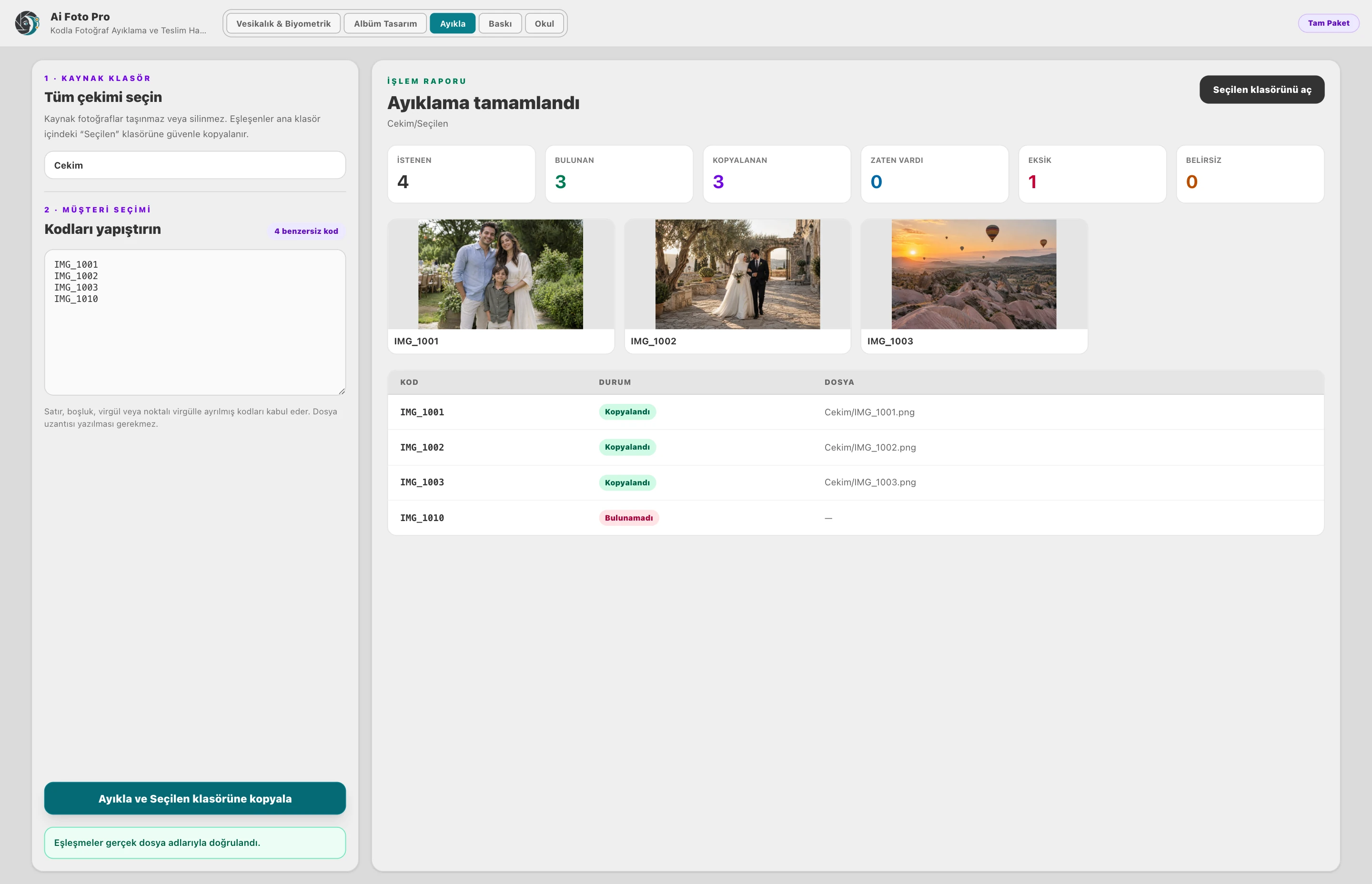
Customers can transmit the codes of the frames they choose at different times. Match the code list together in the same shooting folder. Keeping filenames consistent makes it easier to link the selection to the correct photos. This reduces the need to search for files by eye and copy the wrong frame.
Matching photos are copied to the Selected folder, leaving their source intact. You can keep your main shooting archive separate from working and delivery folders. If the client requests additional frames later, the initial photos files are still available in the same location.
You can check the result when a code is not found or matches more than one file. The report given by the program shows which code you need to clarify from the customer. It is important to choose the correct source folder to avoid mixing different shots with similar numbers.
The extracted photos form an organized selection set before moving on to the album design or print job. This mode is not an artificial intelligence that selects photos based on facial expressions; it uses the file codes provided by the customer. Continue delivery by comparing the final selection count with the report.
You paste the filenames or photo codes from the client into the Extract field and select the folder containing the shots. The program finds photos that match the codes.
No. You can enter more than one code together. By checking the matches in bulk, you can copy the selected photos to a separate folder in a single operation.
Check for unmatched codes in the results. You can verify the spelling of the code and the source folder you selected and redo the search. This way, you can notice missing selections before delivery.
The extracted photos are copied to the Selected folder. The original files in the source photos folder are preserved; the customer's selection is collected in a separate folder.
No. Extract finds and assembles the files the customer selects. Printing manages the placement of photos on paper, color settings, quantities and sending them to the printer. You can use the two modes together in your workflow.
Evaluate the right workflow for your studio based on your own photos and output needs.