Installation, updates and getting started
Know the steps from initial installation to upgrade.
 Ai Foto Pro
MG Work Studio & Medya Ajans
Ai Foto Pro
MG Work Studio & Medya Ajans
AI FOTO PRO · PRODUCT GUIDE
Try every mode without watermarks for 72 hours from your first successful sign-in. Each mode has its own output allowance. You can still open and edit your work after the trial; license the relevant mode for further output.
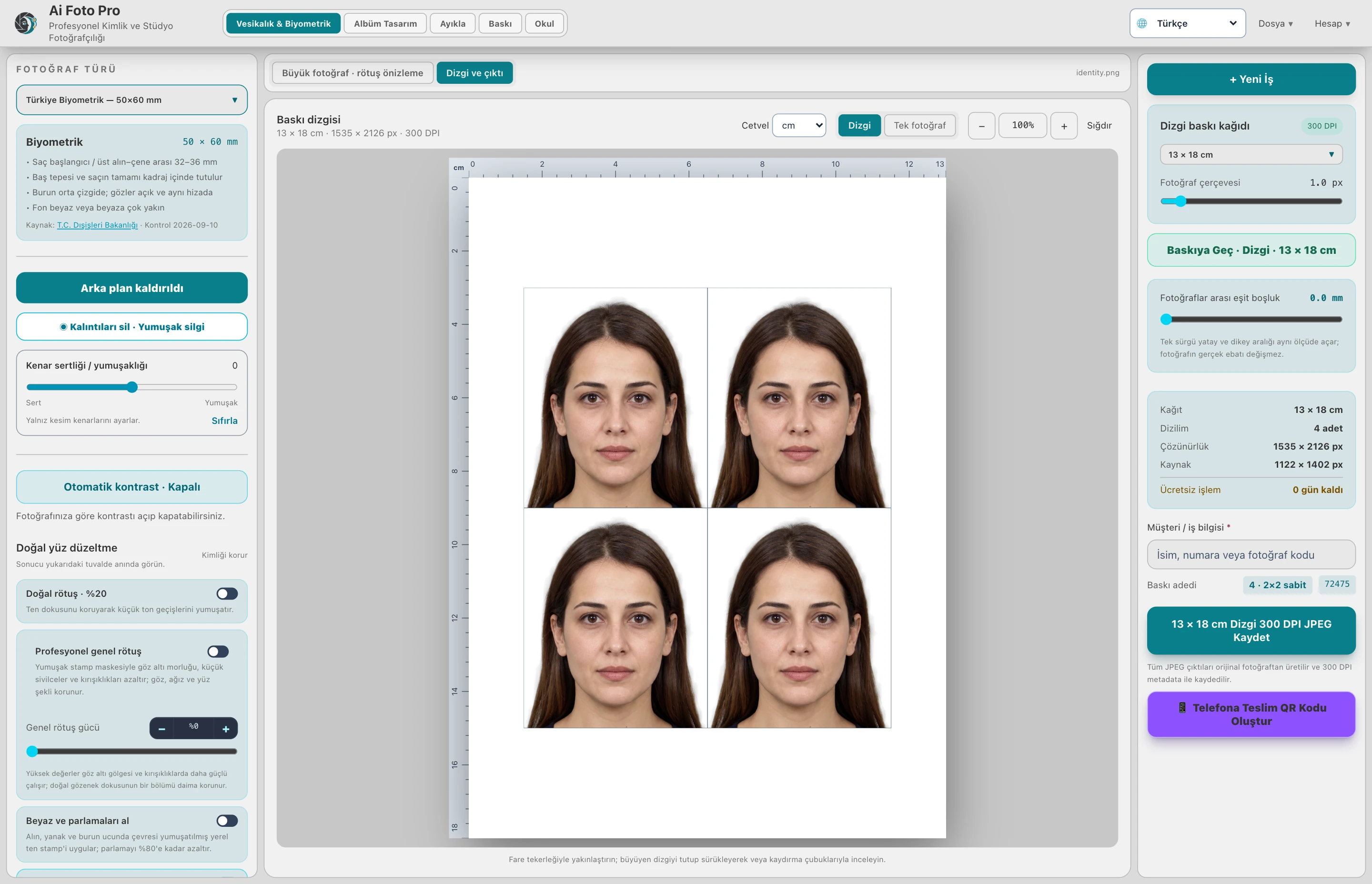
A 64-bit installation package is offered for Windows 10/11, and a universal package is offered for macOS 12 and above. Download links follow the current version released. Check for sufficient disk space and operating system compatibility before starting the installation.
The 72-hour trial has no watermarks. ID Photos: 3 exports; Album: 3 pages in total; Sort: 3 jobs; Print: 10 photos in total; School: 3 student outputs; School Album: 3 pages. Your work is preserved when time or allowances run out; license the relevant mode for further output.
Downloading the installation file alone does not install the program or purchase a license. Open the file through the normal installation flow for your operating system. Installed users can check for the update in the app's Account → Help section. Save your open job before updating.
In case of installation problem, contact the support team with the application version, operating system and error message. The Windows package contains controls to provide the necessary installation components; security software or system permissions may again affect the installation flow. Do not use questionable third-party DLL download sites.
Current version 0.17.31
3-day trial · Per-mode output allowances · Annual license
No. The download provides the installation file; annual package request and purchase are completed separately.
3-day watermark-free trial
Evaluate the right workflow for your studio based on your own photos and output needs.