Natural portrait retouching
Create a clean, balanced portrait of your client that looks like himself.
 Ai Foto Pro
MG Work Studio & Medya Ajans
Ai Foto Pro
MG Work Studio & Medya Ajans
AI FOTO PRO · PRODUCT GUIDE
Increase clarity of real detail without hardening the image. Judge the sharpness setting based on the sharpness of the source photo and the delivery size; check details in hair and clothing together with smooth areas on skin.
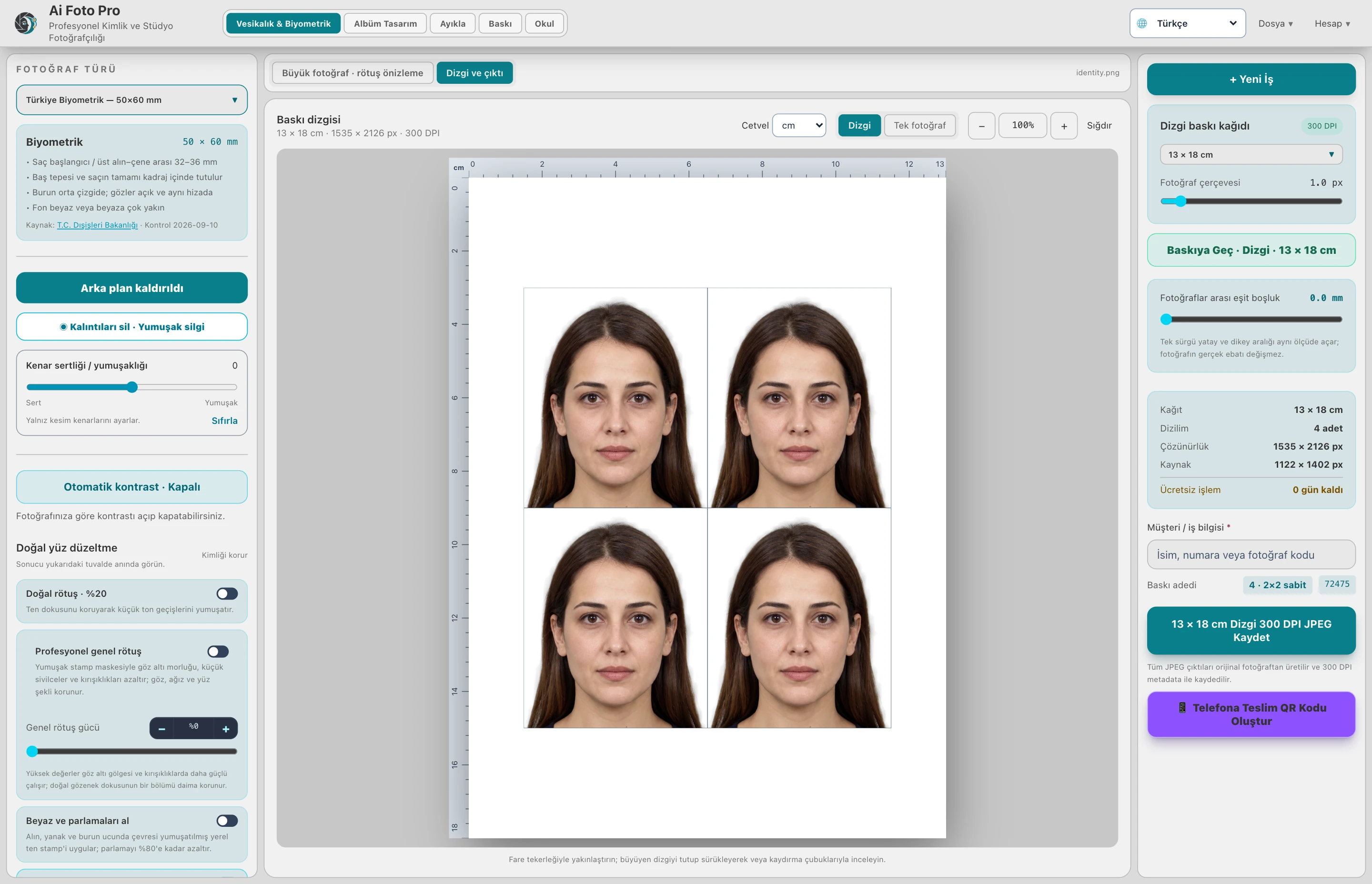
Sharpness aims to make edge and texture details visible. Excessive power may increase sensor noise, white edges, or rough skin appearance. Proceed by checking out the small increases in eye, hair and clothing details.
The appearance of a small passport print may differ from an overly enlarged on-screen preview. Check out both the close-up view and the final delivery size. Do not try to compensate for details lost after retouching with excessive sharpness.
Motion blur, wrong focus, and too small a source file cannot be completely corrected with software. Sharpness control improves the presentation of existing detail. Verify adequate weld quality initially on major customer deliverables.
No. There is no guarantee of restoring detail not present in the source; shot sharpness limits the result.
Evaluate the right workflow for your studio based on your own photos and output needs.