Annual licenses and module packages
Start with the modes you need.
 Ai Foto Pro
MG Work Studio & Medya Ajans
Ai Foto Pro
MG Work Studio & Medya Ajans
AI FOTO PRO · PRODUCT GUIDE
From selecting a customer to delivering a school album, different jobs require different tools. Ai Foto Pro combines five desktop modes under one account; you can start with the modes you use only and expand your combination as your business grows.
In Passport and Biometric mode, select the photo type, check the face placement and prepare the print layout. You can use QR delivery when the customer also requests a digital photo. Photography size and framing are managed to remain consistent throughout delivery.
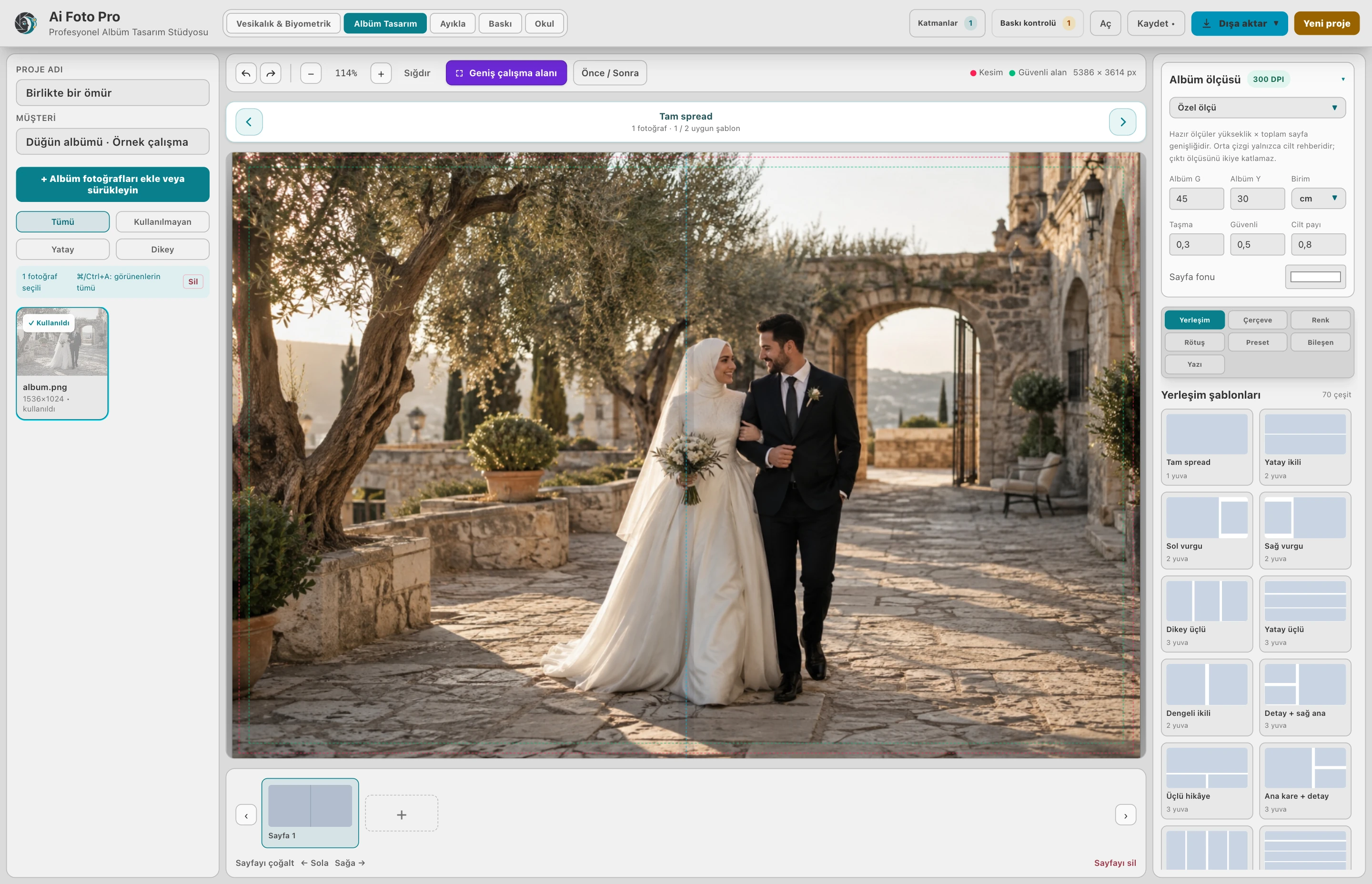
Match the codes from the customer in Extract mode and collect the selected photos in a separate folder. Turn this selection into pages in Album Design mode. Prepare a design that suits the customer's story with special dimensions, text and photo placement.
Manage the placement, color and quantity of photos on paper in print mode. Prepare single/batch mixed or class folder shots in School mode; add student lists and create School Album when necessary. The photo delivery flow can be completed without a list.
You can choose a single, double, triple, quadruple or five-mode Full Package. Consider using one, two or three computers depending on your work schedule. The start and end of the package added later are tracked with their own duration; existing packages are not forced to a single date.
No. You can choose the modes you need, single or in combination.
No. The school flow begins with importing files or folders in the studio after shooting.
Evaluate the right workflow for your studio based on your own photos and output needs.