Face positioning and precise cropping
Even if the photo's measurement is correct, the face may be too large, small, or close to the edge.
 Ai Foto Pro
MG Work Studio & Medya Ajans
Ai Foto Pro
MG Work Studio & Medya Ajans
AI FOTO PRO · PRODUCT GUIDE
Evaluate details that may be overlooked during busy work before printing. Facial orientation, expression, light, shadow and basic sharpness warnings make visible points where you need to re-examine the photo.
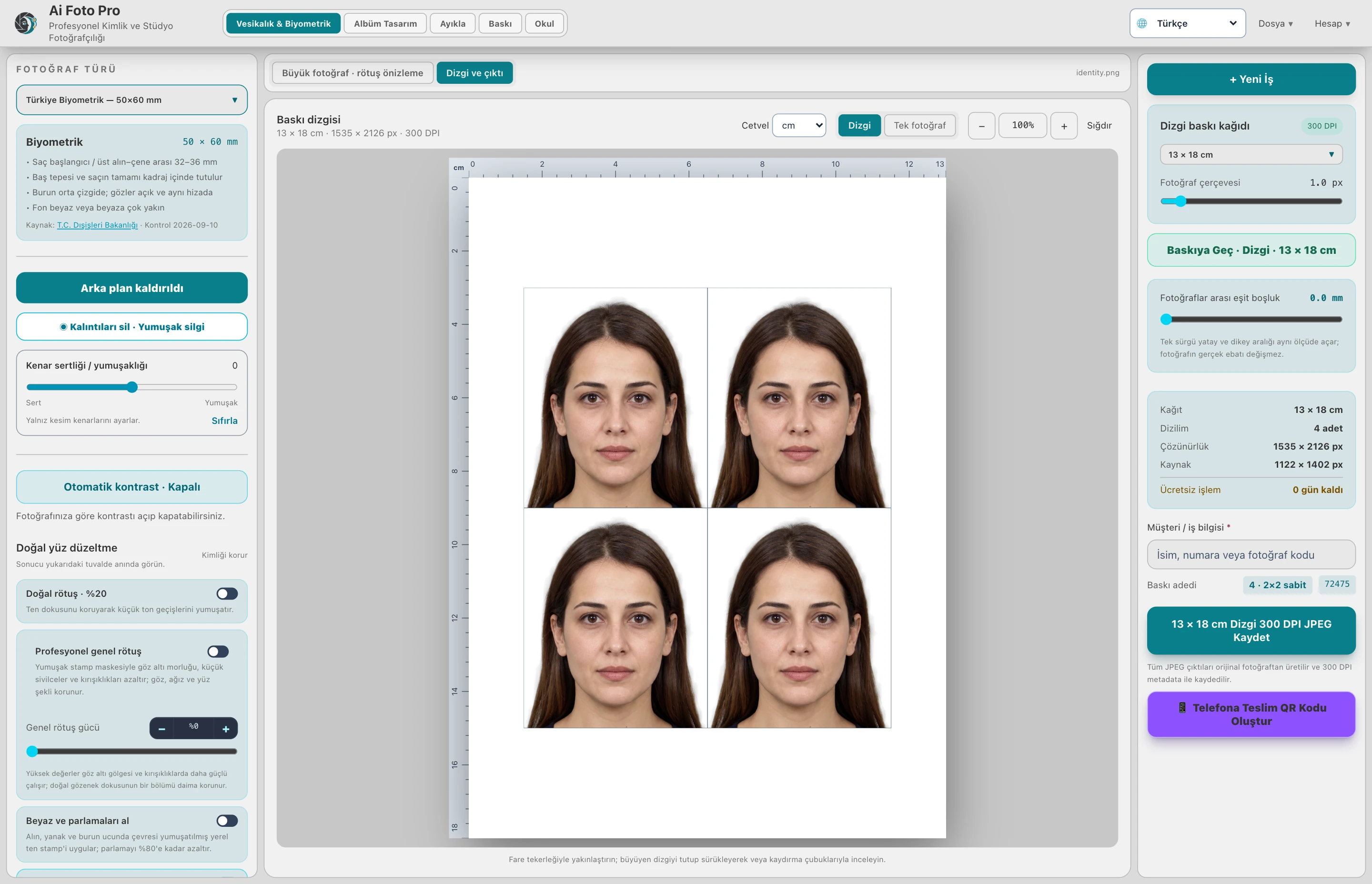
Eyes, mouth, face angle and lighting conditions may be important in the application photo. Automatic analysis helps you double-check the photo. No warning does not mean that all conditions of each institution are met.
Check for clarity around the eyes, mask border on hair and shoulders, headroom and chin position. An image that looks acceptable at low resolution may not carry enough detail in a large print. Consider the output size together with the source quality.
For school and serial studio work, rearrange the necessary photographs individually rather than stopping the entire group. Approve the final framing and select delivery accordingly. Check the student or customer match along with the visual quality.
Ai Foto Pro offers evaluation and editing tools. The final acceptance decision for passport, visa or school system belongs to the relevant application authority. Following the current application conditions and seeing the photo to be submitted for the last time are part of the workflow.
No. Warnings are auxiliary control; official acceptance is determined by the application authority.
Evaluate the right workflow for your studio based on your own photos and output needs.