Custom paper, borders and output sizes
Don't try to fit everything on a single piece of paper.
 Ai Foto Pro
MG Work Studio & Medya Ajans
Ai Foto Pro
MG Work Studio & Medya Ajans
AI FOTO PRO · PRODUCT GUIDE
Manage the photo's physical size, pixel size and printing paper together. Create your print file with an output stream that preserves source detail when preparing single photos or multiple typesets.
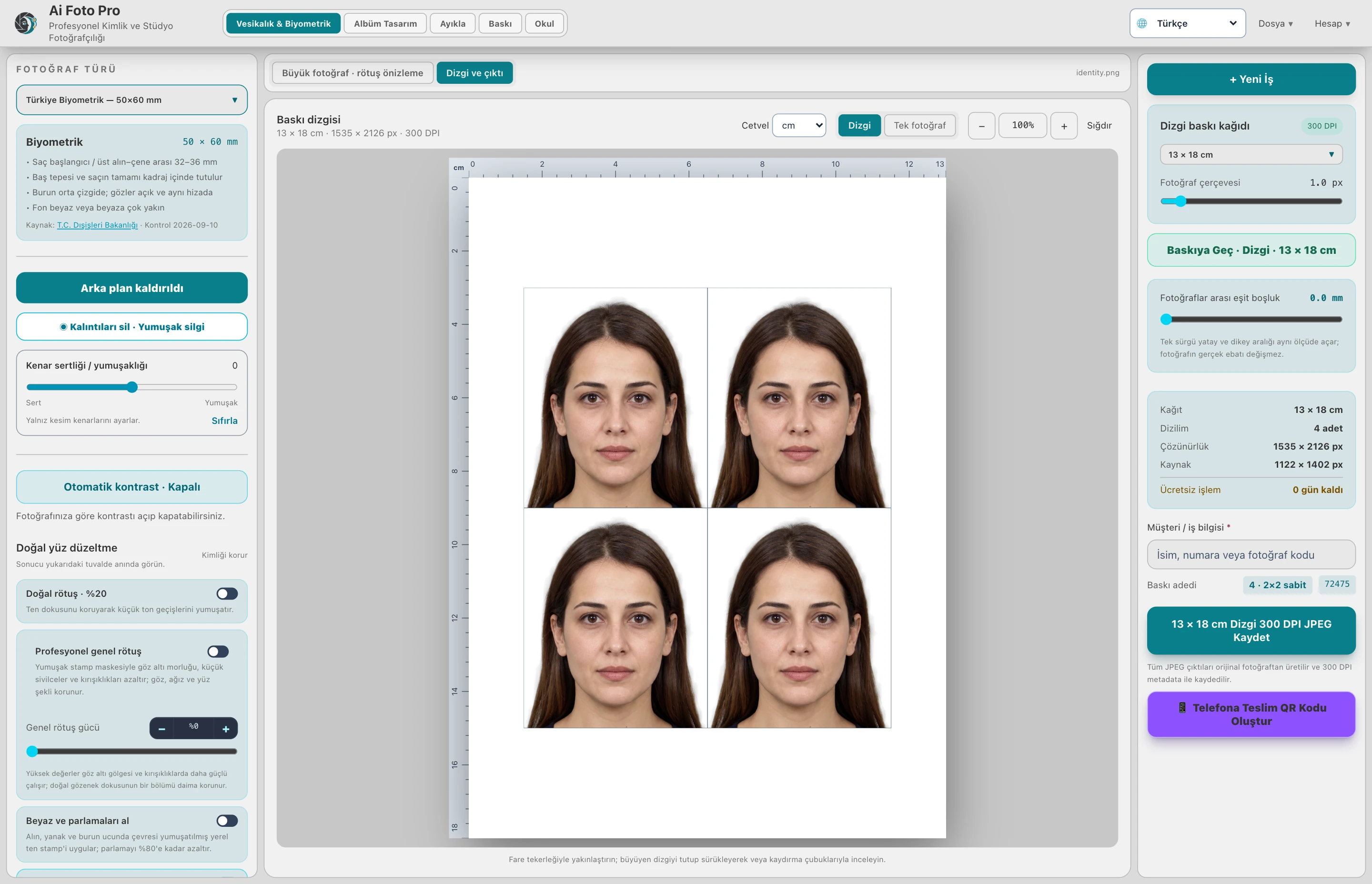
300 DPI defines the pixel density to be used per inch on paper. Actual detail depends on the sharpness and pixel count of the source. For example, a 50 × 60 mm photo would be approximately 591 × 709 pixels at 300 DPI. Enlarging a small source does not restore detail that is not present in the shot.
Your paper might be 10×15cm while a photo is 50×60mm. Print layout places photographs on paper, preserving their actual size. Check settings such as spacing and frames between photos on the paper layout.
The workspace may use customized previews for fluidity. The export stream uses the original source pixels. Do not confuse the workspace that appears small on the screen with the resolution of the file to be delivered; follow the file size from the selected output type.
After saving the JPEG file, check that selecting auto enlargement or fit to page in the printer software does not change the physical size. Paper type, edge setting, and driver scaling can affect delivery size. Verifying the initial sample with a ruler is useful in mass production.
He doesn't do it alone. Source resolution, focus and capture quality determine true detail.
No. In digital delivery, the size of the selected single photograph and its framing in the print layout are used.
Evaluate the right workflow for your studio based on your own photos and output needs.